
A fleet of agents needs a control tower.
Fleetly brings together the Claude Code, Codex, Antigravity and GitHub Copilot sessions from all your machines and shows each one the way that’s most useful at the moment. Here’s the product, view by view.
One building. One floor per machine. One desk per agent.
The main view. One glance tells you who’s working, who raised a hand and who’s done. Each desk’s screen shows what that agent is doing right now.
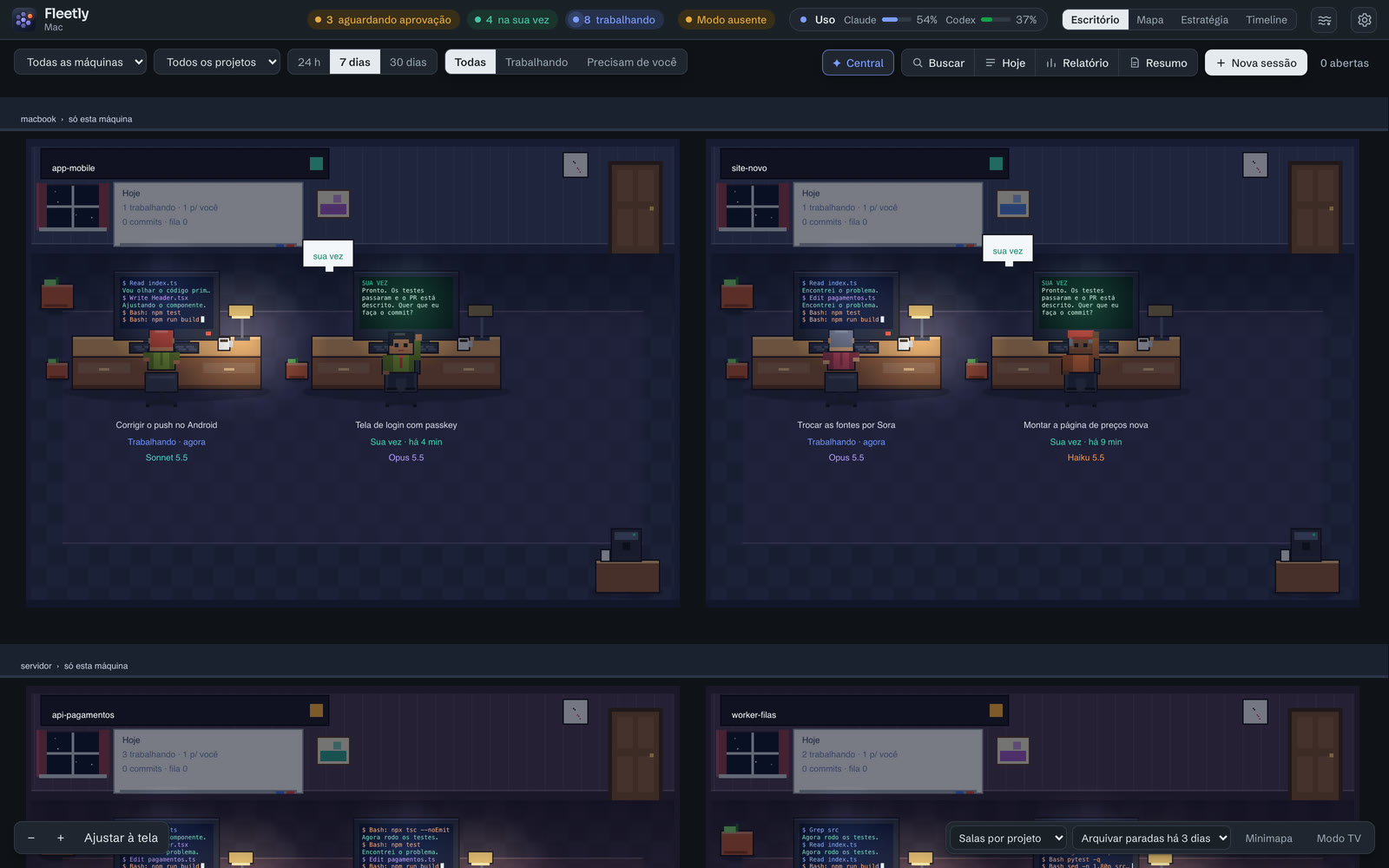
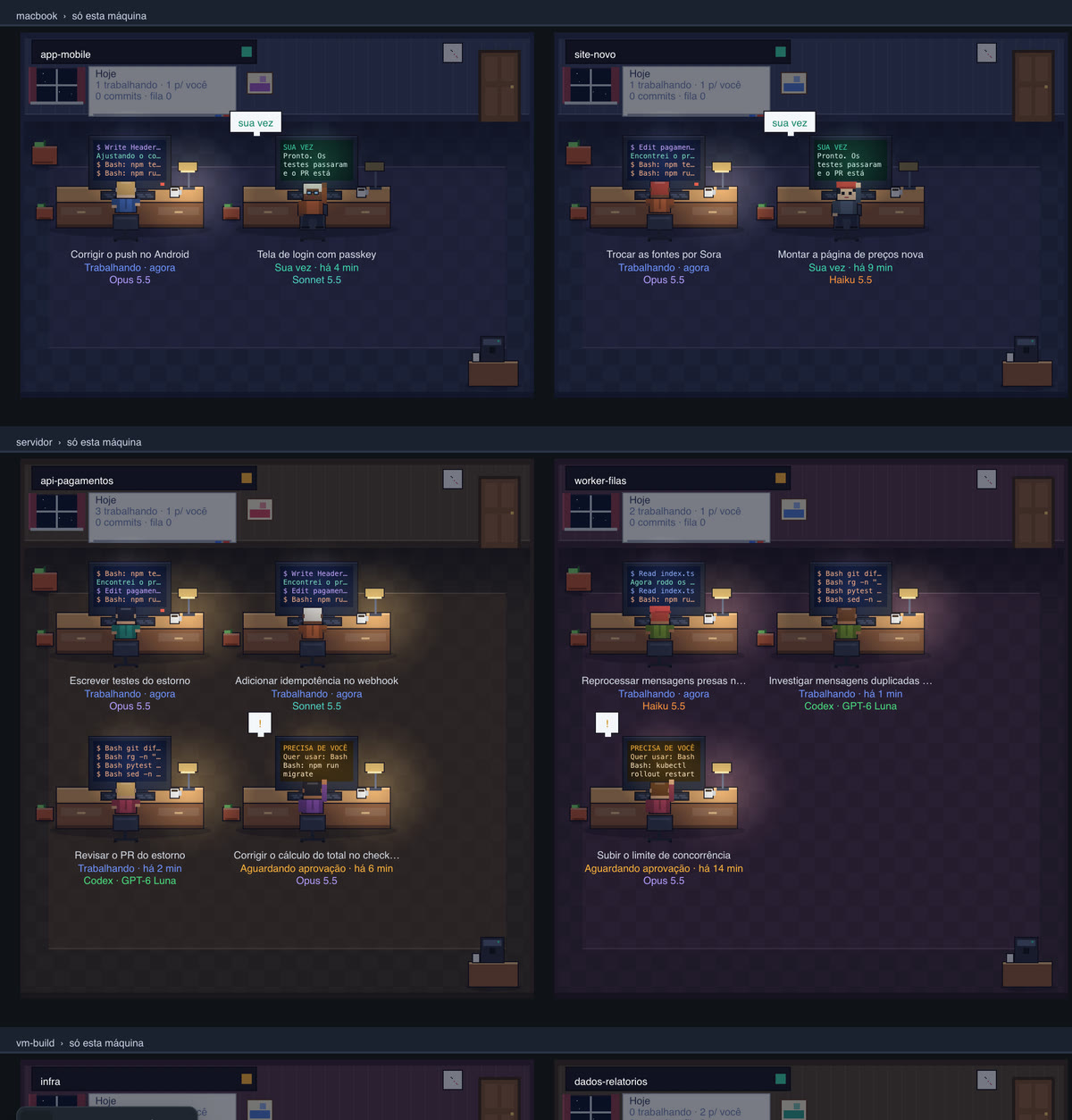
The laptop is upstairs. The server is downstairs.
Each machine with a collector becomes a floor with its name. Tap a floor to see just that machine. If it goes down, its desks keep the last known state and the floor tells you.
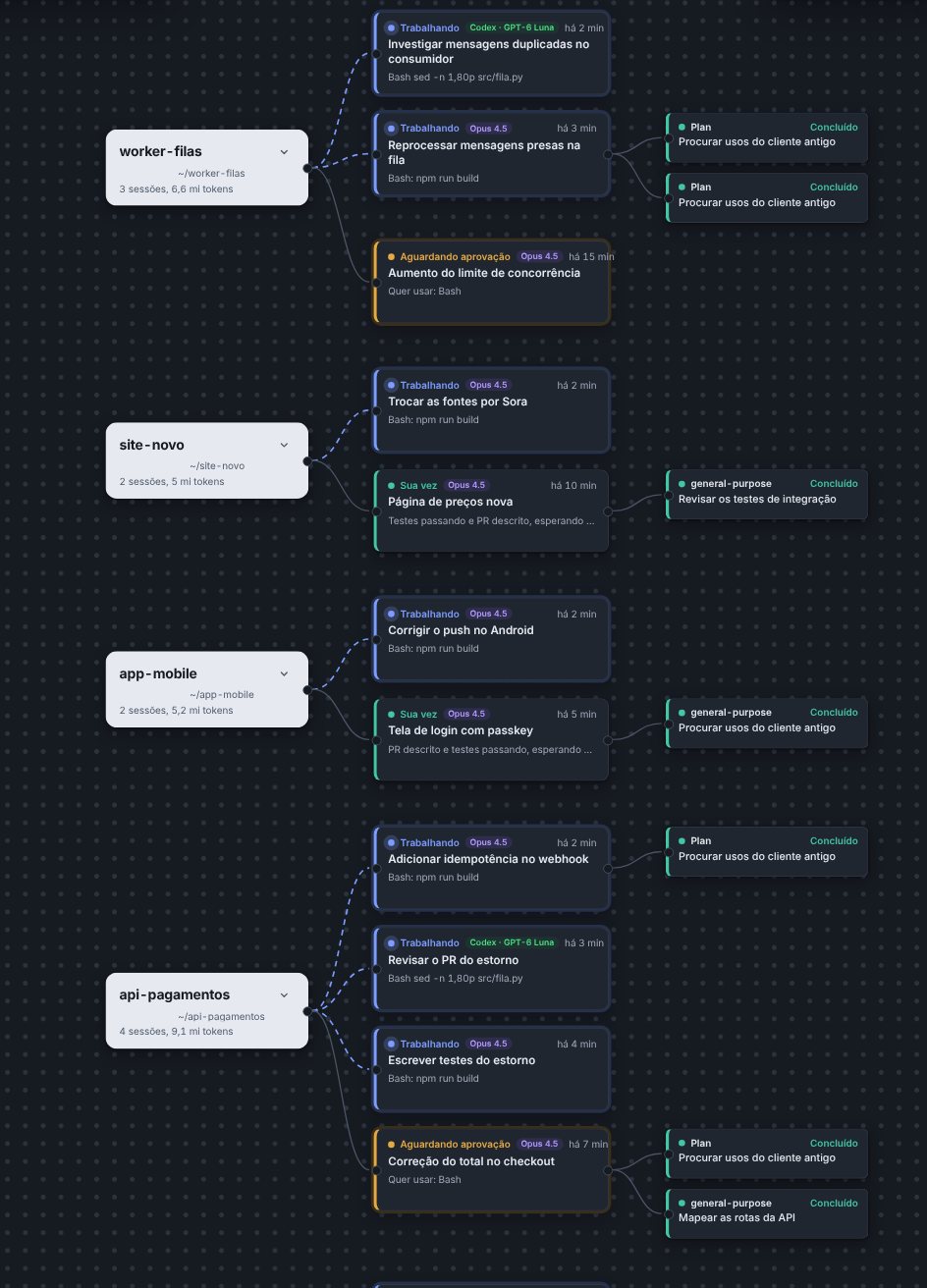
The whole tree: project, sessions, subagents.
For when you need the details: state, model, the last action of each session and what each subagent went off to do.
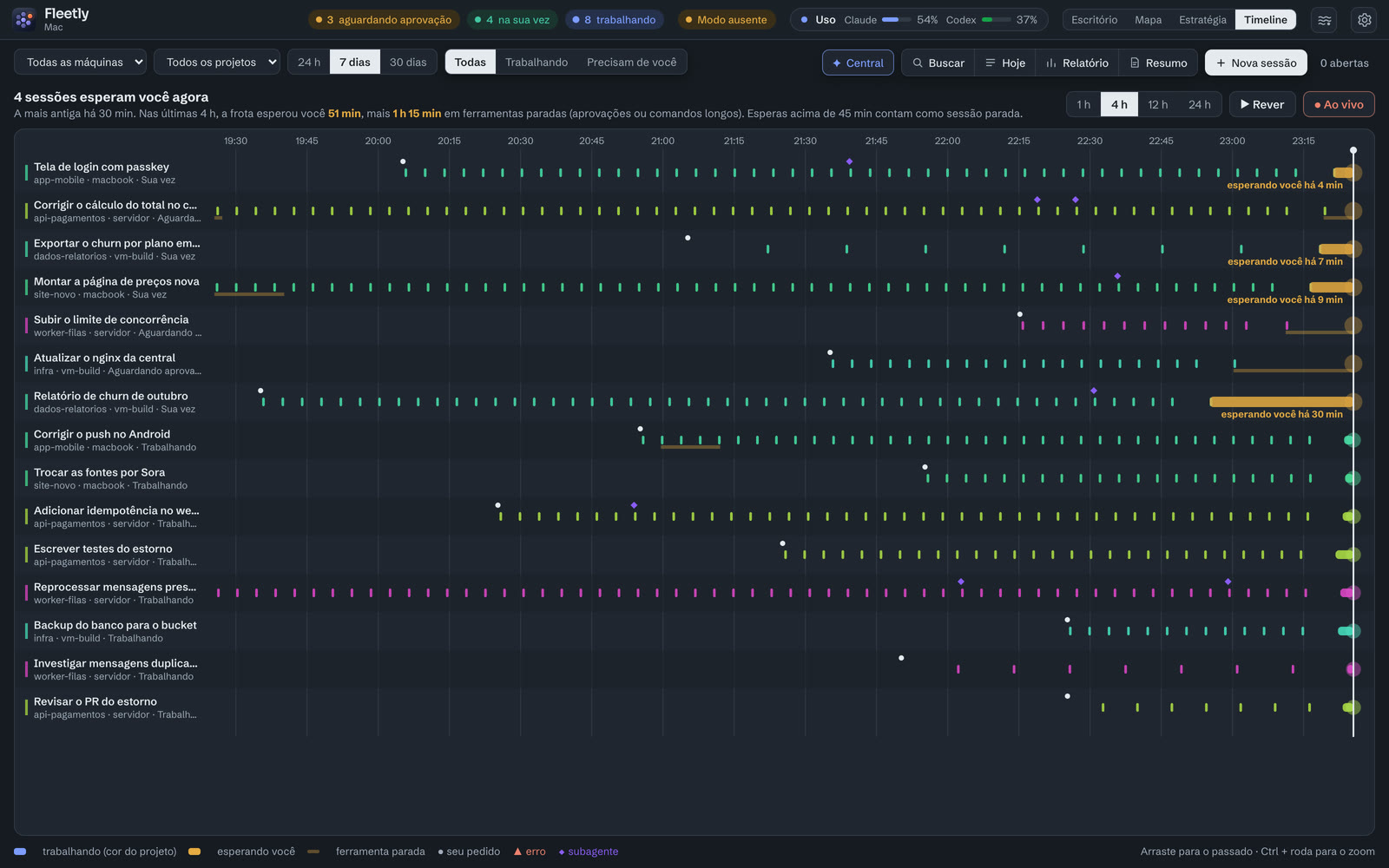
Where you were the bottleneck.
One row per session over the last few hours. Amber bars are the time the agent spent waiting on you. You can replay the day like a movie.
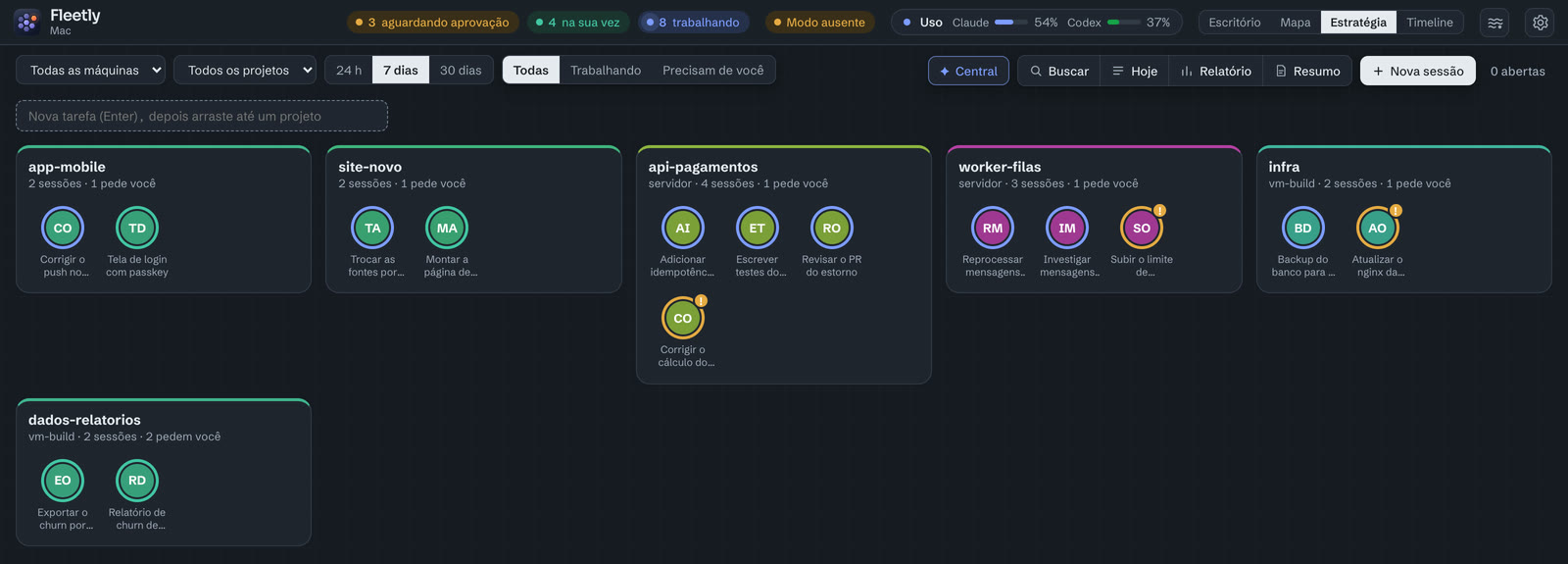
Select a group. Give the order.
Drag a box over sessions and use the shortcuts: continue, approve, run tests, commit, message, stop. Like an RTS, except your army opens pull requests.
For your second monitor.
Each session becomes a stream of light. Work flows in blue; when someone needs you, an ember lights up. You notice it out of the corner of your eye, on a second monitor or in a floating window over VS Code (in Chrome and Edge).

Ask for the change from your phone. Test it right there.
The agent writes the code and starts the dev server on the machine. The preview brings that app to your phone over the connection the collector already has, with no open port and no tunnel. You check the new screen before you’re back at your desk.
localhost:<port>, or a process in the project folder opens a port, Open preview appears in the chat.The preview reloads on its own when the agent changes a project file: the whole page, about a second after the app responds again.
Traveling without the laptop. Keep coding from your phone.
Open a chat with the agent on the server (or ask it to git pull) and the Files tab shows the project. You read, fix and ask for a test, and the agent does the rest on the machine.
{ } ( ) ; = and Tab.Only text files up to 1 MB open; secret files such as .env stay out. Viewers in the building see the files but can’t save.
The work goes on after you close the laptop.
Routines run on the project’s machine, with the dashboard closed. Each run opens a new session tagged rotina, so in the morning you can read what it did.
Turn on the morning brief in Settings → Notifications and approvals, on the days and at the time you choose.
Morning to night, without hunting for terminals.
- 08:10 · coffee
The overnight summary
“What happened in the last 8 hours?” Fleetly tells you what each machine did while you slept: what finished, what got stuck, how many commits.
Summary · last 8 hserver · queue-worker: reprocessed the queue, 214 tests passedvm-build · data-reports: October churn readyinfra: waiting for approval since 03:12 - 10:30 · meeting
The queue works for you
Before you join the call, you queue the next prompt on three sessions. As each agent finishes, the prompt goes out on its own, even with the dashboard closed.
Queue · new-site1. After that, run Lighthouse and fix anything below 902. Open the PR with before and after screenshots - 13:05 · out and about
Approved from your phone
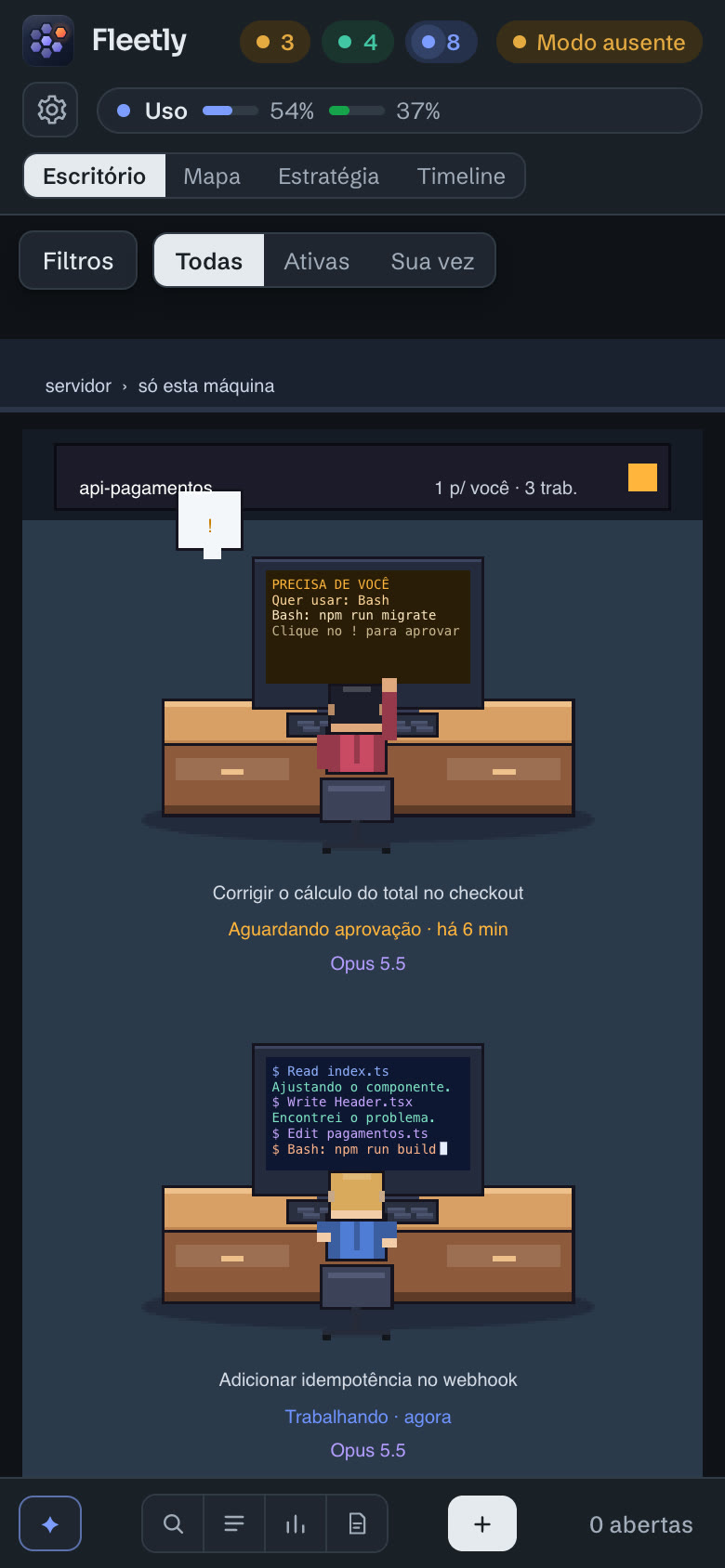
The server agent wants to restart the worker. The push arrives, you read the command, check the machine and approve right there, before the light turns green.
- 16:00 · focus
The command center
An agent that sees every session on every machine. You ask and it answers; you give the order and it hands out the work.
you › what needs me?2 approval requests (infra, payments-api) and 4 sessions waiting on you.you › tell queue-worker to run the integration tests✓ sent to server · queue-worker - 19:00 · end of day
Reports and plan usage
Time, tokens and commits per project, and how much of your plan is left in the 5-hour window and the week. You leave the long sessions running and head home.
5-hour window37%Sample valuesWeek62%
A collector on each machine. One hub. Any screen.
The collector reads the sessions on the machine and opens a secure outbound connection to the Fleetly hub. The hub brings it all together and serves it to the browser and the phone.
Each dev already costs $100–200 a month in agents. You can see where it goes.
Team puts everyone in the same building. Enterprise adds the rules a company needs.
Roles
- Owner · sets things up, manages machines and people
- Operator · chats, approves, commits and pushes
- Viewer · follows along, hands off
- Auditor · on Enterprise, reads the audit log and reports, without seeing chats
Audit log
Sign-ins, approvals, messages, commits, pushes and settings changes, with person, machine and time. Exportable on Enterprise.
Governance
Always-blocked commands (Team and Enterprise). On Enterprise, rules that apply before every action: allowed folders, network, branches, hours and models, two-person approval, secrets masked before they leave the machines, SSO, auditor role, reports and agent trail.
Team view
Per person: sessions, agent time, time waiting for approval, tokens and commits. Token budgets per project.